A slow feeling is not a diagnosis
A computer can feel slow in very different situations: opening a project, switching applications or downloading a file. Record the task that struggles and reproduce an ordinary session. Our suggestion is to observe memory use with the operating system’s tools and relate it to that moment, without first closing everything you normally use.
A single number does not tell the whole story. Note the open applications, the file in use and what happened. If only one application has problems, check its requirements and documentation as well. Do not attribute every delay to RAM or assume that doubling capacity will double speed.
Find the exact model, not just the brand
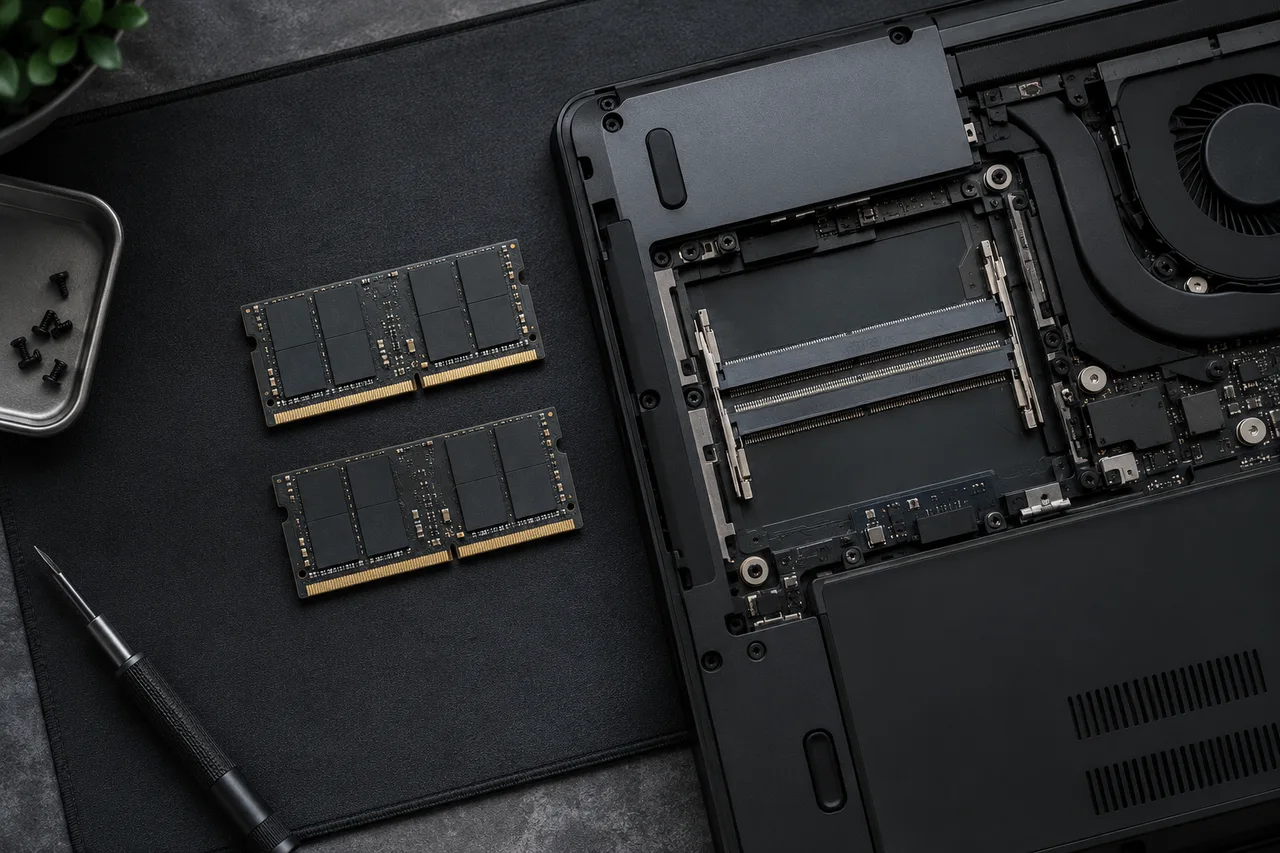
Locate the full computer or motherboard model and its manual. Check whether memory is replaceable, which generation and form factor it uses, the supported capacity and the available slots. Some computers are not designed for memory upgrades; their own documentation should settle that before you buy.
Kingston provides compatibility documentation and notes that some configurations require particular combinations or BIOS updates. A matching advertised capacity alone does not establish that a module suits your computer. [1]
Module placement matters too
Installation rules depend on the platform. Kingston describes dual-channel configurations using matched modules and notes that adding modules per channel can change operating conditions. Follow the motherboard manual’s slot diagram rather than guessing the order from position or color. [2]
Before combining existing and new memory, check supported combinations and the seller’s terms. If saving money is the objective, compare the total cost of a compatible addition with a validated set. A discount is not useful if it leads to another purchase or leaves the computer without a stable configuration.
Buy from a checklist and verify afterwards
Prepare a checklist covering model, generation, form factor, intended total capacity and module arrangement. Include the exact reference of the memory you already own and keep a copy of the manual. If documentation does not clarify a combination, ask the manufacturer before opening the computer.
Follow its disconnection and handling instructions, or use a repair service if you are uncomfortable doing the work. After installation, check that the system recognizes the expected capacity and repeat the task that prompted the purchase. Record the actual result; this guide guarantees no percentage improvement and does not replace manufacturer instructions.
Two slow-PC scenarios with different next steps
Hypothetical case A: memory stays nearly full during normal work, and switching applications causes delays and disk activity. Capacity may be limiting you. Repeat the task after closing one heavy application. An improvement is a clue, not proof that any memory upgrade will fix it.
Hypothetical case B: plenty of memory remains available but an export heavily occupies the processor. Adding RAM may not shorten that wait. Identify the resource limiting the task first. No single memory-use percentage automatically means you must buy more.
Complete this compatibility sheet before ordering
| Field | Illustrative example | Decision |
|---|---|---|
| Generation and format | DDR4 SO-DIMM | Confirm in the manual; DDR5 or DIMM are not substitutes |
| Existing installation | 2 × 8 GB, both slots occupied | Investigate replacement for 32 GB; do not assume a free slot |
| Supported maximum | 32 GB in the exact model's manual | Check total and per-slot limits |
| Validated reference | Complete kit part number | Check compatibility lists and return conditions |
This example does not describe your computer. Soldered memory changes the plan. Software-reported slot information may be incomplete: confirm the physical design in the service manual before opening the device.
After upgrading, check recognized capacity, stability and the original workload. If the system fails to start, restore the previous configuration following the manual; do not begin by changing voltages. Save the result and kit reference for later.
Sources and documentation
Sources consulted on October 8, 2026. Original documentation; linked sources may be in English.